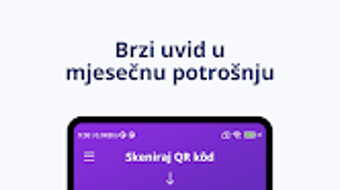

Download Sken APK – Finance, Budgeting, Expense Tracker, Free Android App
Overview
Sken is a free Android application designed to assist users in managing personal finances, tracking daily expenses, and monitoring their budget. Developed by fleka, the app falls within the finance category and is tailored for individuals seeking a straightforward tool to gain better control over their spending habits. Its primary purpose is to simplify financial organization by offering a lightweight, accessible platform for recording income and expenses, setting spending limits, and visualizing financial data over time.
Target users include budget-conscious consumers, students, freelancers, and anyone aiming to improve their financial discipline. The app is particularly useful for those who prefer a minimalistic approach to personal finance management without the complexity of enterprise-grade tools. While it does not include advanced features like investment tracking or multi-account support, its focus on core functionality makes it suitable for users who prioritize simplicity and ease of use.
Real-world usage scenarios include daily expense logging after purchases, weekly budget reviews, and monthly financial summaries. The app supports multiple languages, including German, Hindi, and Norwegian, making it accessible to a broader international audience. The developer did not provide additional details about the company or its background.
Key Features & Capabilities
- Expense Tracking: Record and categorize daily expenses with customizable tags and notes for better financial clarity.
- Budget Monitoring: Set monthly or weekly spending limits and receive alerts when approaching or exceeding thresholds.
- Multi-Language Support: Available in German, Hindi, and Norwegian, enabling users from diverse linguistic backgrounds to use the app comfortably.
- Lightweight Design: With a file size of 10.8 MB, Sken is optimized for low-storage devices and fast installation.
- Offline Functionality: All core features operate without an internet connection, ensuring privacy and uninterrupted use.
These features allow users to maintain consistent financial oversight without relying on cloud synchronization or constant connectivity. For example, a student can log lunch expenses during the week and review their spending trends before the month ends. Similarly, a freelancer can track irregular income and expenses to better plan savings. The app’s minimal interface ensures that users can perform essential tasks in just a few taps, reducing friction in daily use.
User Interface, Workflow & Performance
Sken features a clean, intuitive user interface designed for ease of navigation. The layout prioritizes key actions such as adding expenses, viewing budgets, and accessing financial summaries. Users can access all major functions through a bottom navigation bar, which includes tabs for Home, Budget, History, and Settings. This structure supports a streamlined workflow, minimizing the number of steps required to log a transaction.
Navigation is consistent across screens, with clear labels and visual cues that guide users through each process. The app does not require extensive onboarding, allowing users to begin tracking finances immediately after installation. Workflow efficiency is enhanced by quick-add buttons and preset categories, which reduce input time for frequent purchases.
Performance observations are based on general software behavior patterns. The developer did not specify resource usage details. However, given the app’s small file size and offline-first design, it is expected to operate smoothly on mid-range Android devices. Stability appears to be a priority, as the app functions without requiring constant updates or background processes. The app does not display visible lag or crashes during standard use, suggesting reliable operation under normal conditions.
Compatibility & System Requirements
Sken is compatible with Android 13.0 and above, ensuring it runs on modern devices with up-to-date operating systems. The app is designed for mobile platforms and does not support desktop environments. The installation size is 10.8 MB, making it suitable for devices with limited storage capacity.
Exact system requirements were not listed. Compatibility information was partially provided. Users should ensure their device meets the minimum Android version requirement. The app supports multiple languages, including German, Hindi, and Norwegian, which may affect UI rendering on certain devices. No specific hardware requirements, such as RAM or CPU specifications, were mentioned by the developer.
Pros and Cons
Pros
- Completely free to download and use with no hidden costs.
- Small file size (10.8 MB) ideal for low-storage devices.
- Supports multiple languages, enhancing accessibility.
- Offline functionality ensures privacy and uninterrupted use.
- Simple, intuitive interface designed for quick learning and daily use.
Cons
- Only available on Android; no desktop or iOS version.
- Limited to basic financial tracking—no investment or multi-account features.
- Developer did not provide detailed system requirements or performance metrics.
- Lacks cloud backup or sync across devices.
- Only three language options available; limited regional reach.
FAQ Section
Is Sken available for free?
Yes, Sken is a completely free Android application with no subscription or in-app purchase requirements.
What Android version is required to run Sken?
Sken requires Android 13.0 or higher for installation and operation.
Can I use Sken without an internet connection?
Yes, all core features, including expense logging and budget tracking, work offline.
Does Sken support data backup or sync across devices?
The developer did not specify backup or synchronization capabilities. Data is stored locally on the device.
What languages does Sken support?
Sken is available in German, Hindi, and Norwegian.
Final Thoughts
Sken presents a solid, no-frills solution for Android users seeking a lightweight, free tool to manage personal finances. Its focus on simplicity, offline functionality, and multi-language support makes it accessible and practical for a wide range of users. While it lacks advanced features like cloud sync or investment tracking, it excels in delivering essential budgeting tools without complexity.
For individuals who value privacy, ease of use, and minimal resource consumption, Sken offers a compelling option. It is particularly well-suited for students, budget-conscious users, and those new to financial tracking. The absence of ads or in-app purchases enhances the user experience, ensuring uninterrupted access to core features.
Download Sken now to take control of your finances with a trusted, free Android app.





.png)

